The fastest way to convert an ebook to another format, for free and without an account, is to use Calibre, a desktop program that takes EPUB, MOBI, AZW3, and PDF as inputs and outputs the same list plus many others. If you do not have a file yet, Project Gutenberg gives away public-domain books as free downloads in EPUB, MOBI/Kindle, and PDF, so you can skip conversion entirely and just pick the format your reader wants. Both tools work in any country, take no payment card, and never ask you to sign up.
What Each Reader Wants
EPUB is the format that most ebook readers accept natively, and it is the standard download on Project Gutenberg book pages. MOBI is the older Kindle format, and Project Gutenberg offers a Kindle/MOBI download on the same page, so if you use a Kindle, grab that file directly. AZW3 is a newer Kindle format that Calibre can read and write, but Project Gutenberg does not list it as a download option, so you would convert to it yourself if your Kindle needs it. PDF is the odd one out: it works on computers and some tablets, but it reflows poorly on small screens, so it is a poor choice for a dedicated reader. If you are unsure, pick EPUB for anything that is not a Kindle, and pick MOBI or AZW3 for a Kindle.
The Main Destination: Calibre
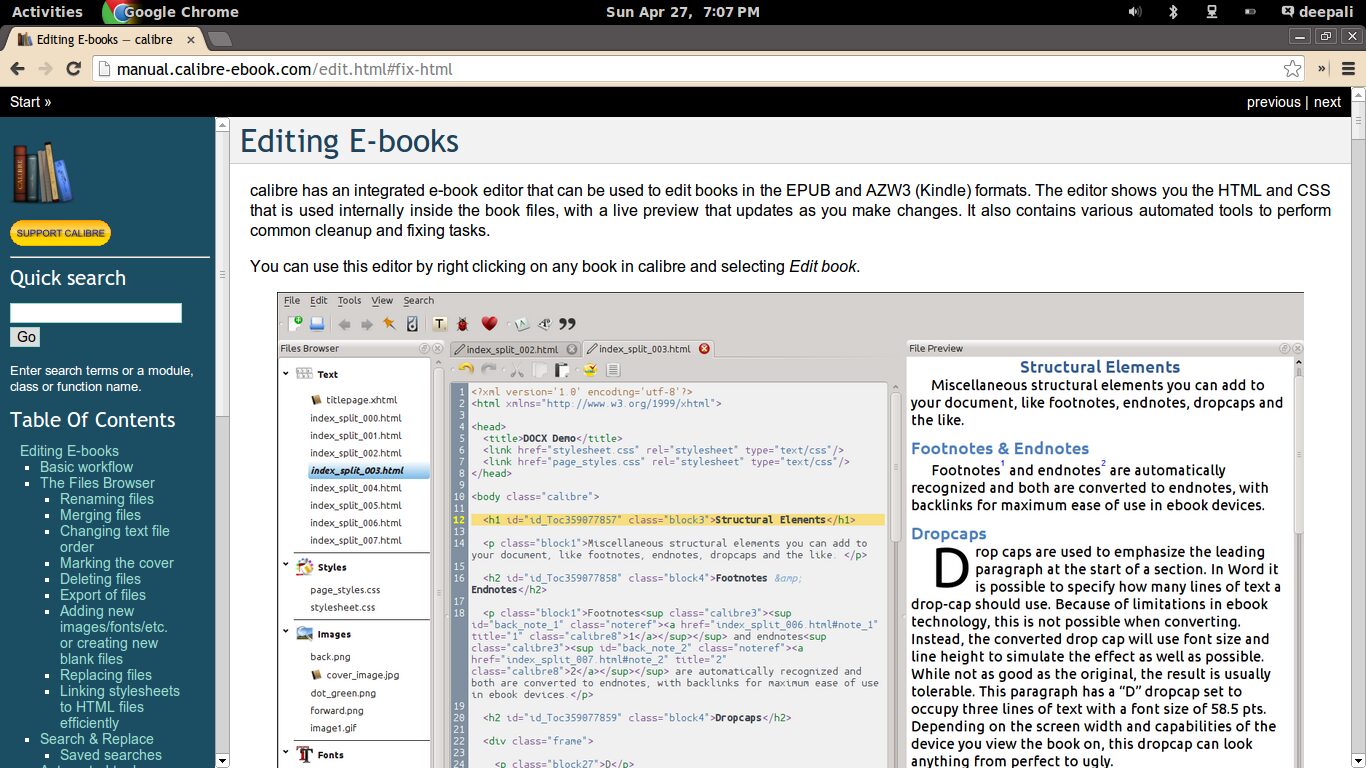
Calibre is the free desktop converter that actually answers the format question. It accepts EPUB, MOBI, AZW3, and PDF as inputs, and it can output all of those plus many others. The software’s own FAQ says it “can convert every input format” in its supported list to every output format in its supported list, so you can take a PDF and turn it into an EPUB, or take an EPUB and make a MOBI. No account is required, no card is required, and no country restriction is mentioned anywhere on the FAQ page. The FAQ does not explain how the project pays for itself, so treat it as free software with no catch. It runs on your own computer, so you do not upload your file anywhere, which means your ebook never leaves your hard drive. The one thing to know before you start: the FAQ does not list what each conversion preserves or loses. It only notes that MOBI books come in two variants, Mobi6 and KF8, and that Calibre “fully supports both.” In practice, that means a simple novel with basic formatting will convert cleanly, but a complex layout with tables, images, or custom fonts may shift. If you convert a PDF with multi-column text, expect the output to need manual cleanup.
The Source for Free Books: Project Gutenberg
Project Gutenberg is the main free public-domain source for ebooks in these formats. Its books are free because the texts are public domain, and it generates EPUB, MOBI/Kindle, and PDF downloads automatically from master HTML or plain-text files. On any book page, you will see download links for EPUB, EPUB with images, EPUB without images, Kindle/MOBI, and a generated PDF. No account, no card, and no country restriction appear anywhere on the help pages. The service works by taking a single master file, usually HTML, and generating all the other formats from it. That is why the PDF is generated on the fly: the site makes it from the same master file, so you do not have to. If you want a book that is out of copyright, this is the fastest way to get a clean copy in the format you need, with no conversion step at all. The one caveat is that Project Gutenberg’s own submission guide says PDF, Word, and similar formats are not used as master formats because they do not convert easily to valid HTML. That means if you start with a PDF from elsewhere, you are starting from the worst possible source, and you should expect a messier result than if you started with an EPUB.
What Conversion Actually Loses
The thing most people get wrong is assuming that converting a file is like converting a unit of measurement: lossless and exact. It is not. When you convert an EPUB to a PDF, the text stays the same, but the layout is not preserved, so page numbers, margins, and line breaks will change. When you convert a PDF to an EPUB, the software has to guess which parts are headings, which are paragraphs, and which are just page headers or footers, and it will guess wrong sometimes. Images may move, tables may break, and any text that is part of a graphic will not be readable at all. The safest path is to start from the format that was made for reflowable text, which is EPUB or MOBI, and convert to another reflowable format. Avoid converting from PDF unless you have no choice, because the result will need manual fixing. If you do need to work from a PDF, browser-based tools that convert PDF to Word alongside merge and compress functions, but Calibre’s FAQ does not give you a loss chart, so you will not know what broke until you look at the output. That is fine for a novel, but it is a reason to keep the original file and treat the converted one as a draft.
What to Check Before You Commit
Before you download anything, check what format your reader actually takes. A Kindle will not open an EPUB directly, and a Kobo will not open a MOBI without a firmware hack. Look up the reader’s supported formats, then pick the download that matches. If you are converting, check the output format in Calibre’s top bar before you hit the convert button, because the default output may not be what you want. And if you are downloading from Project Gutenberg, check whether the book page offers a PDF or only EPUB and MOBI, because not every book has every format generated. The site generates them automatically from the master file, so if a format is missing, it is because that particular book did not convert cleanly, and you are better off taking the EPUB and converting it yourself than hunting for a different source.
Frequently Asked Questions
Do I need to create an account to use Calibre?
No. Calibre is a desktop program that runs entirely on your computer. You download it, install it, and use it with no account, no email address, and no payment card.
Can I convert a PDF to a Kindle format without losing anything?
No. PDFs store text as positioned shapes, not as flowing paragraphs, so converting a PDF to MOBI or AZW3 requires the software to guess the reading order. Simple text-heavy PDFs often convert well, but anything with columns, tables, or images will need manual cleanup.
Why does Project Gutenberg not offer AZW3 downloads?
Project Gutenberg generates its downloads from a single master HTML file, and it offers EPUB, MOBI/Kindle, and PDF as the standard outputs. AZW3 is a format that Calibre supports as both input and output, but the Gutenberg site does not list it as a download option, so you would convert to it yourself using Calibre.
Is it legal to convert an ebook I downloaded for free?
Yes, if the book is public domain and you are converting it for your own use on a device you own. Project Gutenberg only hosts public-domain texts, so there is no copyright restriction on converting those files. The same rule does not apply to a book you bought from a store, because that purchase is a licence, not a transfer of rights.
What is the best format to download if I do not know my reader’s brand?
Download EPUB. It is the most widely supported ebook format, and it is what most non-Kindle readers accept natively. If your reader turns out to be a Kindle, you can convert the EPUB to MOBI or AZW3 with Calibre in about a minute.
More on ebooks
This is one of the guides in Where to Download Free Ebooks Legally. The others: